
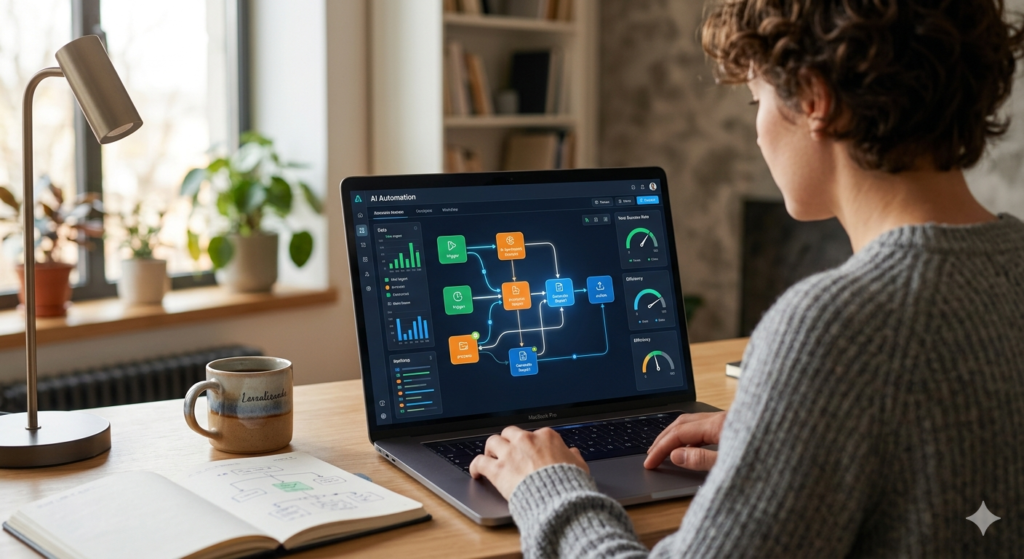
1. What is AI Automation and How Does It Work in 2026 (Beginner’s Guide)
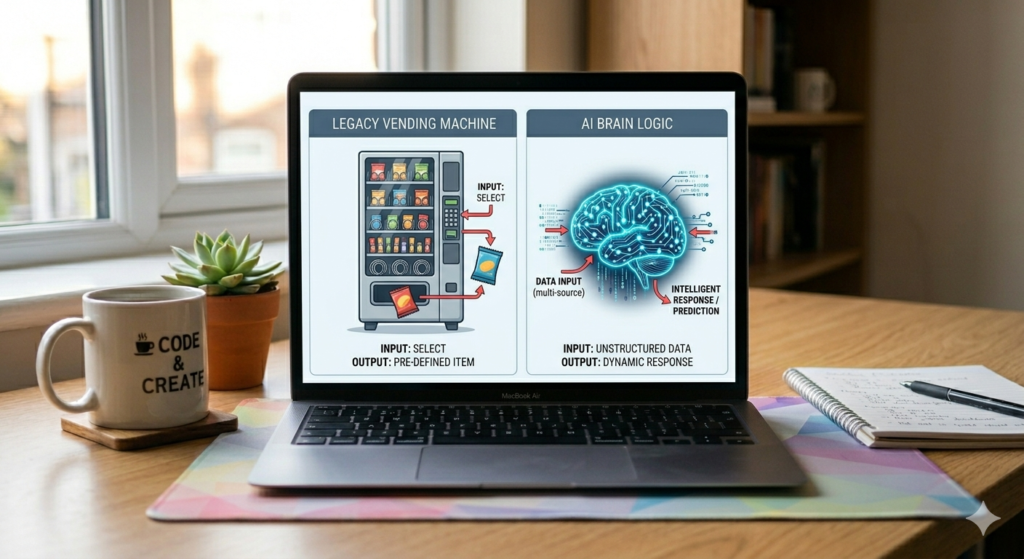
If you’ve been hearing about AI automation 2026 everywhere and wondering what it actually means — you’re in the right place.
Okay so I’ll be honest I didn’t fully get this whole AI automation thing until maybe six months ago. I thought it was one of those buzzwords that big tech companies throw around to sound impressive. Like blockchain. Or metaverse. Remember metaverse? Yeah.
But then something happened that changed my mind completely.
My brother-in-law has a small business. Nothing huge he sells custom printed merchandise online. T-shirts, mugs, that kind of stuff. And every single evening, no matter how tired he was, he’d sit down and manually go through orders. Copy the details. Paste them somewhere else. Send a confirmation email. One. By. One.
I asked him once why he didn’t just automate it. He looked at me like I’d lost my mind. “That’s for Amazon,” he said. “Not for me.”
Fast forward two months. He texts me at 7am on a Saturday. “Bro I haven’t touched orders in three days and everything is still going out fine.”
That was my real introduction to what AI automation actually means in practice. Not a YouTube video. Not a blog post. Just watching someone’s life get genuinely easier.
So let me explain this the way I wish someone had explained it to me.
2. What Even Is AI Automation Like Actually
The phrase sounds complicated. It isn’t.
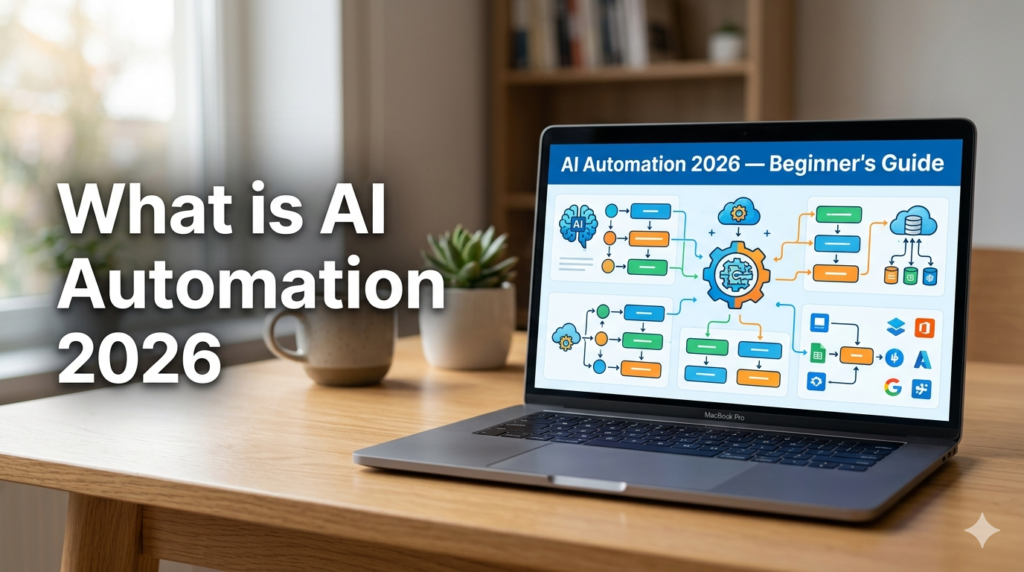
You know how a vending machine works, right. You press B4, it gives you crisps. Every time. Same button, same result. That’s basically what old-school automation is. Simple, predictable, dumb in a useful way.
Now imagine instead of a vending machine you had a person standing there. You walk up looking tired and they go “rough day? you usually get the coffee when you look like that, want that?” And they’re right. That’s closer to what AI automation does.
It doesn’t just react to a fixed trigger. It reads the situation. Makes a call. Decides what makes sense. And then does it without you asking.
That’s the actual difference. Not complicated once you see it that way.
The technical version, if you care: AI automation combines machine learning and natural language processing with regular workflow tools. But honestly the vending machine analogy does most of the work.
3. How Does It Actually Work Step by Step
I’m going to keep this really simple because most explanations I’ve read assume you already know too much.
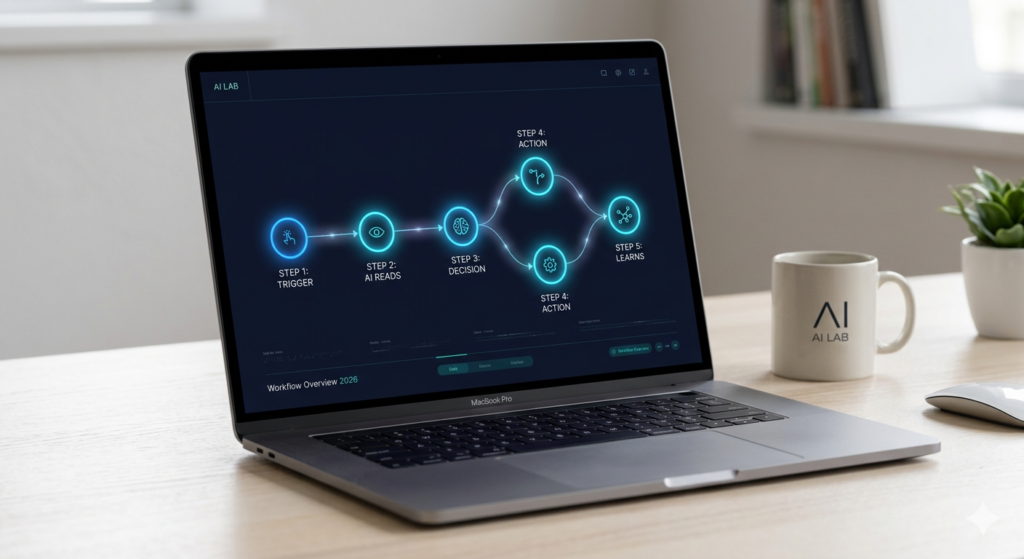
Something triggers the system first. Could be an email landing in your inbox. A form getting filled on your website. A payment going through. A file appearing in a folder. Whatever. Something happens.
Then the AI reads it. Not just detects it actually reads it. Understands what it says. Is this a complaint or a compliment. Is this an invoice or a job application. Is this person angry or just asking a question. That reading part is what makes it different from regular automation which is completely blind to content.
After reading it the system decides what to do. Which template to send. Whether to escalate to a human. Which category to file it under. What task to create. It’s making a decision, not just following a script.
Then it does the thing. Automatically. No one clicks anything. No one has to be awake. It just happens.
And then this is the part people forget it learns. The more it runs, the better its decisions get. You set it up once and it quietly improves without you doing anything.
That’s genuinely the whole mechanism. Five steps. I promise no one needs a computer science degree for this.
4. AI Automation vs Regular Automation What’s the Difference
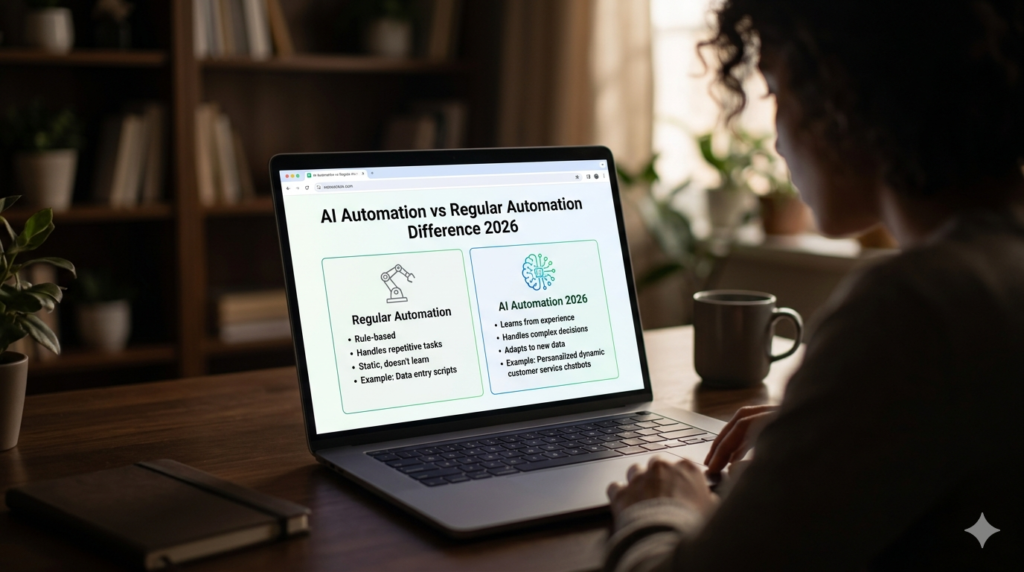
People mix these up constantly so let me clear it up quickly.
Regular automation is great. Seriously. If you want the same thing to happen every single time without exception use it. It’s fast, cheap, reliable, and does exactly what you tell it.
The problem is real life doesn’t work like that. Customer messages are all over the place. Invoices from different companies look completely different from each other. Someone leaves a review that technically says nice things but is clearly sarcastic. Regular automation hits these situations and completely falls apart.
AI automation 2026 was built for the messy version of reality. It handles variation. It reads between the lines. It makes calls that rule-based systems simply cannot.
I always think of it like this. Regular automation is a really fast intern who follows instructions perfectly but the moment something unusual happens they completely freeze and wait for you. AI automation is someone experienced who figures it out and handles it without bothering you.
One costs less to set up. The other saves you more time in the long run. Depends what you actually need.
5. Real Stuff People Are Actually Doing With It Right Now

Not hypotheticals. Real things.
Customer support is the obvious one. Businesses are using AI to read every incoming support message, sort by how urgent it is, fire back answers to the straightforward stuff, and only bring a human in for things that actually need a human. Some companies have cut their support team hours significantly while actually improving response times. That’s not nothing.
Email management is underrated. AI scanning your inbox and drafting replies to the routine stuff, killing spam before it reaches you, flagging only what genuinely needs your attention. I know people who’ve gone from two hours daily in their inbox to maybe twenty minutes. The time difference is wild.
Social media scheduling content goes out across multiple platforms automatically, sometimes with the caption tweaked depending on whether it’s Instagram or LinkedIn. You write once. It handles the rest.
Invoice processing is a big one for small businesses specifically. AI reads invoices no matter what format they arrive in, pulls out the numbers, checks them against purchase orders, flags anything suspicious. Work that used to take someone most of a Friday afternoon now runs in the background in seconds.
And lead follow-up honestly this one changed how I think about running anything online. Someone fills your contact form at 11pm. Old way, they wait until someone gets to it Monday morning. New way, they get a personalised reply in minutes, get added to the system, a task gets created automatically. By Monday morning it’s already three steps ahead.
6. Free Tools Worth Actually Trying
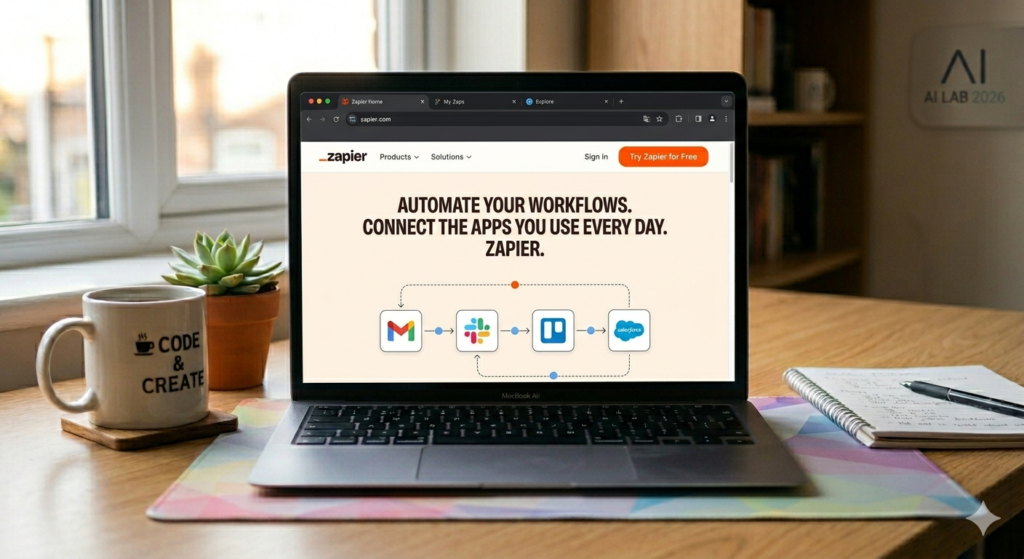
You don’t need to spend money to understand this stuff. Start free.
Zapier is where most people should begin. It’s the most beginner-friendly option I’ve seen connects your apps through simple logic and has AI built in on top. Free plan is limited but completely enough to get your first automation running and understand how the whole thing works.
Make used to be called Integromat is more powerful once you’re ready for something with more flexibility. The visual builder where you can literally see your workflow as a diagram is genuinely satisfying. Takes a bit more time to learn but worth it.
n8n is what a lot of the more technical people have moved to in 2026. Open source, you can host it yourself, incredibly powerful. Steeper learning curve but if you’re even slightly comfortable with tech it’s worth a look.
Microsoft Power Automate is already available to anyone using Microsoft 365 which is a huge number of people who don’t even realise they have it. If your workplace uses Teams, Excel, Outlook Power Automate connects with all of it natively.
Google AppSheet for anyone who lives in Google Workspace. Sheets, Forms, Gmail it connects cleanly and keeps things simple.
My actual recommendation: Zapier, one afternoon, one automation. Just to feel how it works. That’s all.
7. Who Is This Actually For
Honestly more people than most would assume.
Freelancers probably win the most from this. The admin side of freelancing quietly eats so much time. Sending the same invoice email. Following up on unpaid invoices. Scheduling calls back and forth. Sending onboarding documents every time you get a new client. All of that can go away. The time that comes back is real money when you bill by the hour.
Small business owners can use it to operate like a bigger team without actually becoming one. Customer communication, order processing, reports, social media automate those properly and two people can do what would otherwise need five.
Content creators managing posts across platforms, keeping up with email lists, tracking which content performs. Most creators are still doing this manually in 2026 which is genuinely leaving time on the table.
Students I know this sounds boring but hear me out. Email sorting, deadline reminders, organising research notes, filing things automatically. It’s not glamorous but the mental load it removes is real.
The thing that’s genuinely shifted with AI automation 2026 is accessibility. Two years ago you needed at least some technical background. Now these tools hold your hand through the whole setup. No code required. None at all.
8. Should You Actually Trust It Risks Worth Knowing
Yes there are risks. Worth being honest about them.
The worst thing about automation is that it scales your mistakes too. A small error in your logic doesn’t produce one bad outcome it produces hundreds before you notice. This is why you should always test with fake data before letting anything loose on real information. Always.
Privacy is something people consistently don’t think about until something goes wrong. Most automation tools process your data on external servers. If you’re dealing with customer personal information, medical data, financial details read the privacy policy carefully. Make sure the tool is GDPR compliant. Don’t just tick through and assume it’s fine.
And please don’t over-automate. Some things need a real human. A customer who’s had a genuinely awful experience doesn’t want a perfectly worded automated apology. They want to feel like someone actually read their message and cared. Know the difference between what to hand off and what to keep.
Start small. Internal stuff first. Your own workflows. Then expand outward once you trust what you’ve built.
9. Quick Look AI Automation vs Regular Automation
| Feature | Regular Automation | AI Automation |
|---|---|---|
| Follows fixed rules | ✅ Yes | ✅ Yes |
| Handles messy data | ❌ No | ✅ Yes |
| Makes decisions | ❌ No | ✅ Yes |
| Learns over time | ❌ No | ✅ Yes |
| Easy to set up | ✅ Yes | ✅ Getting easier |
| Best for | Predictable tasks | Complex, variable tasks |
10. The Simplest Possible Way to Begin
One task. That’s all.
Think about what you do most often that makes you feel like you’re wasting time. Whatever came to mind just now start there. Look it up in Zapier or Make and search for a template. There will almost certainly be one. These platforms have thousands of pre-built workflows for exactly this reason.
Get that one thing running. Watch it work a few times. Fix anything that looks off. Then think about the next thing.
AI automation 2026 genuinely rewards people who just start. You don’t need the whole picture before you benefit. One working automation teaches you more than reading ten guides about it.
One last thing before you go whatever you set up, run it once manually with a test entry and watch every single step happen in real time. Sounds fussy. It takes maybe five minutes. But it catches mistakes before they run on real data and real people. I cannot stress this enough. Do not skip it.
And if you want to keep reading, check out my full guide on the best free automation tools in 2026 I’ve gone through each option in proper detail so you can figure out what fits your situation without wasting time testing things that aren’t right for you.
The printed-merchandise example makes the time savings easy to picture, and the advice to watch a test order move through every step is especially useful. One caveat: AI workflows don’t necessarily learn or improve just by running; many need explicit feedback and updates. I’d also test an incomplete order to see when the workflow asks a human for help.