
Best Free Software for Students in 2026`
Now, let’s face facts, student life itself can get really tough without having to worry about buying costly software to go with everything else. That is why I have compiled a list of free resources that I have found helpful in my own studies.
None of these cost a rupee, and I’ve actually used every single one. Here are five that are worth your time.
1️⃣ Notion – Your All-in-One Study Hub
What It Does
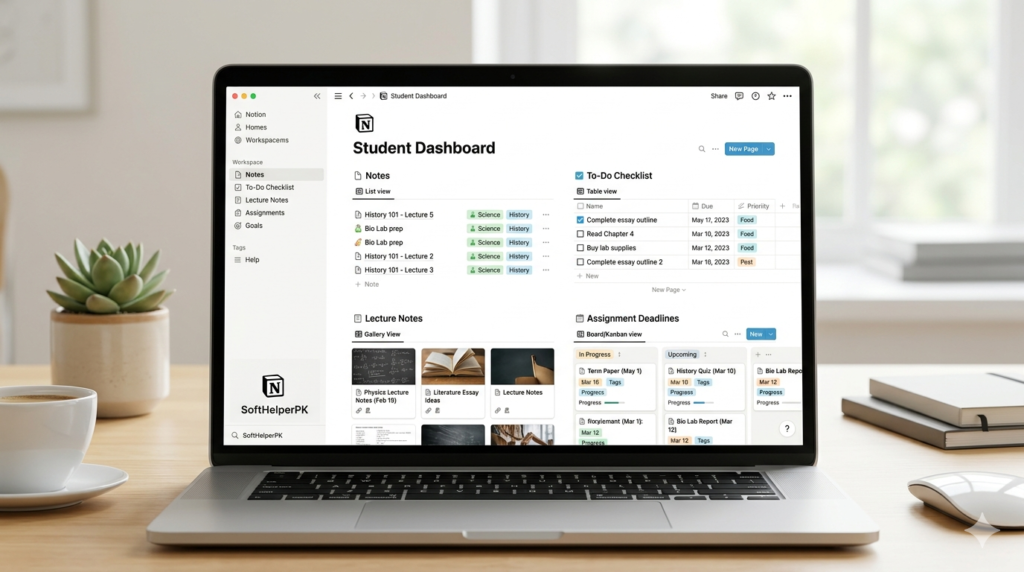
Notion is an efficient work environment, wherein users can make notes, create tasks, set assignments, do researches, and even maintain their habits, all through one program.
Notion happened to be the software that I used in my final year for managing my notes and schedule.
❤️ Why Students Like It
- Keeps notes and tasks in one clean dashboard
- Custom templates for classes and projects
- Great for collaboration
- Syncs across devices
- Clean and distraction-free layout
✅ Pros and✅ Pros and ❌ Cons
Pros
- Extremely customizable
- Free student plan available
- Excellent for organization
Cons
- Can feel overwhelming at first
- Works best with internet
- Too many features for very simple needs
💡 Pro Tip: Start with a ready-made student planner template instead of building from scratch.
This is why Notion is considered the best free software for students
2️⃣ LibreOffice – A Reliable Office Suite
What It Does
LibreOffice is a free office suite that includes Writer (Word alternative), Calc (Excel alternative), and Impress (PowerPoint alternative).
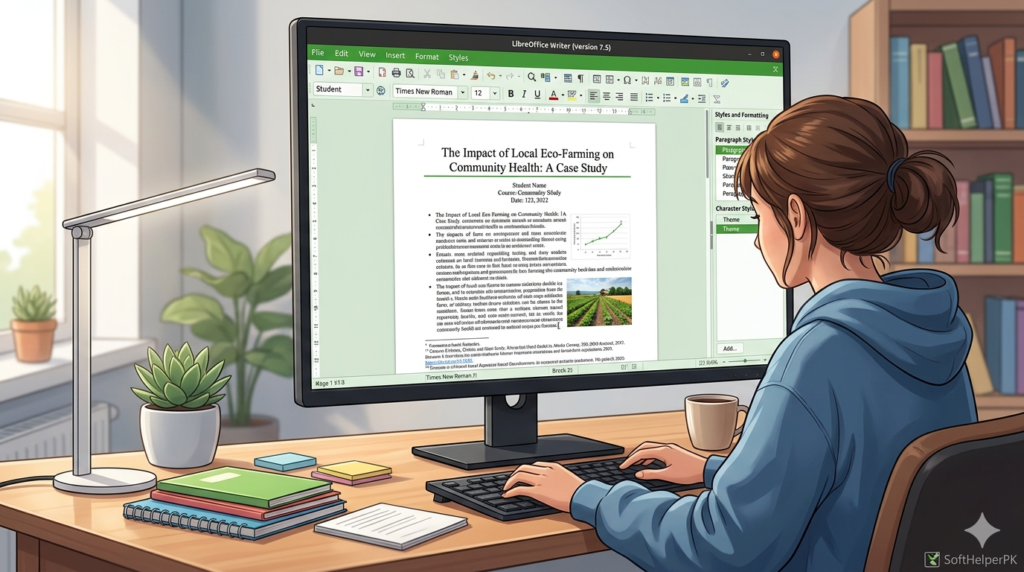
When my MS Office trial expired before a submission, LibreOffice saved me. I opened my .docx files in it and they worked fine — just remember to export as PDF before submitting so the formatting stays intact.
❤️ Why Students Like It
- Completely free and open-source
- Works offline
- Compatible with Microsoft Office files
- Lightweight and stable
✅ Pros and ❌ Cons
Pros
- Free forever
- No subscription
- Supports many formats
Cons
- Interface looks slightly outdated
- Limited cloud collaboration
- Large files can be slower
💡 Pro Tip: Always save assignments as both .docx and PDF before submitting. in both .docx and PDF format before submission to avoid formatting issues.
For many students, this is one of the best free software options for handling assignments.
3️⃣ Zotero – Research Without the Headache
What It Does
Zotero helps you collect, organize, cite, and manage research sources easily.
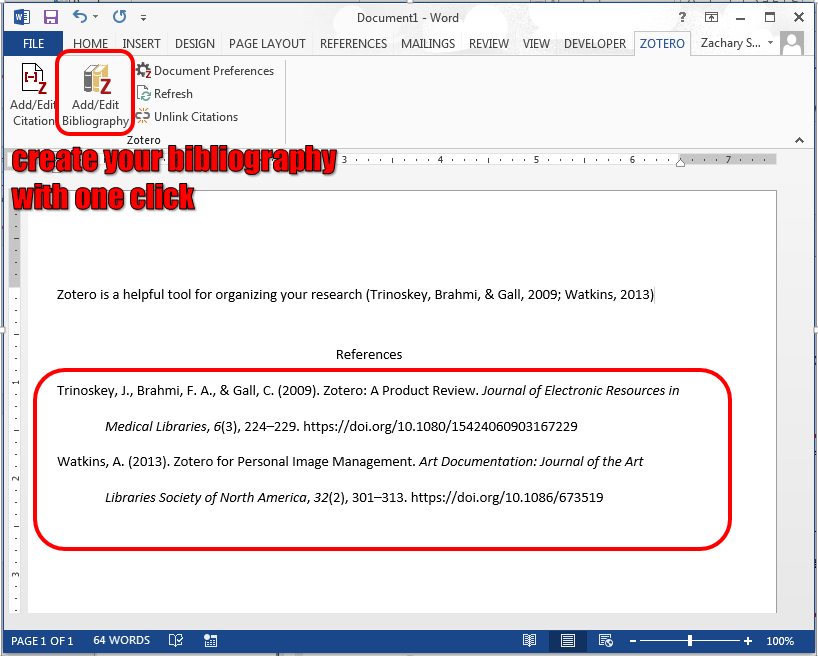
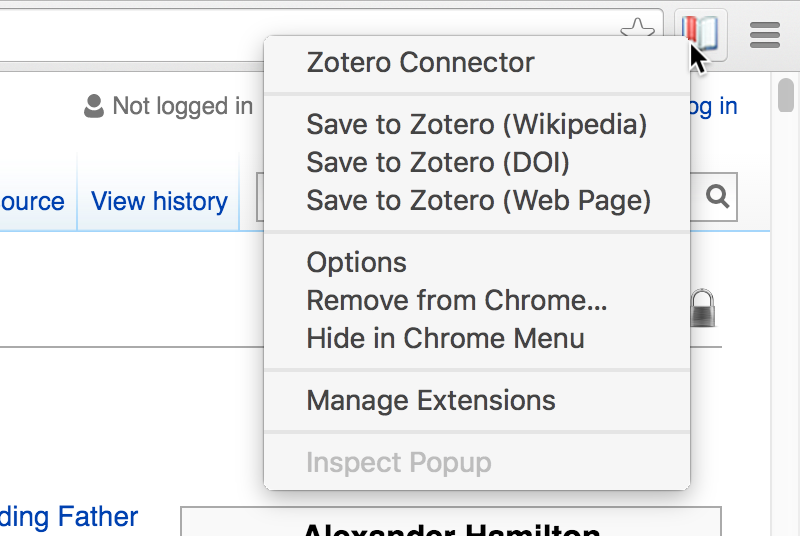
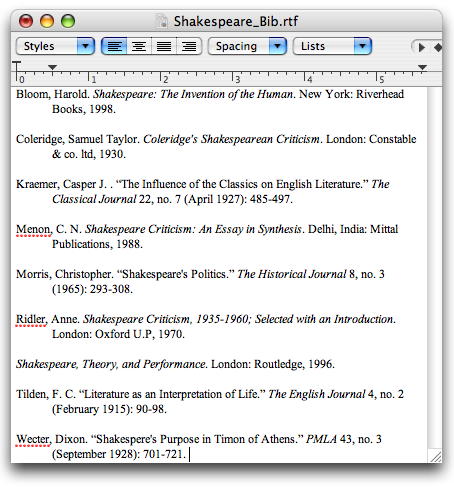
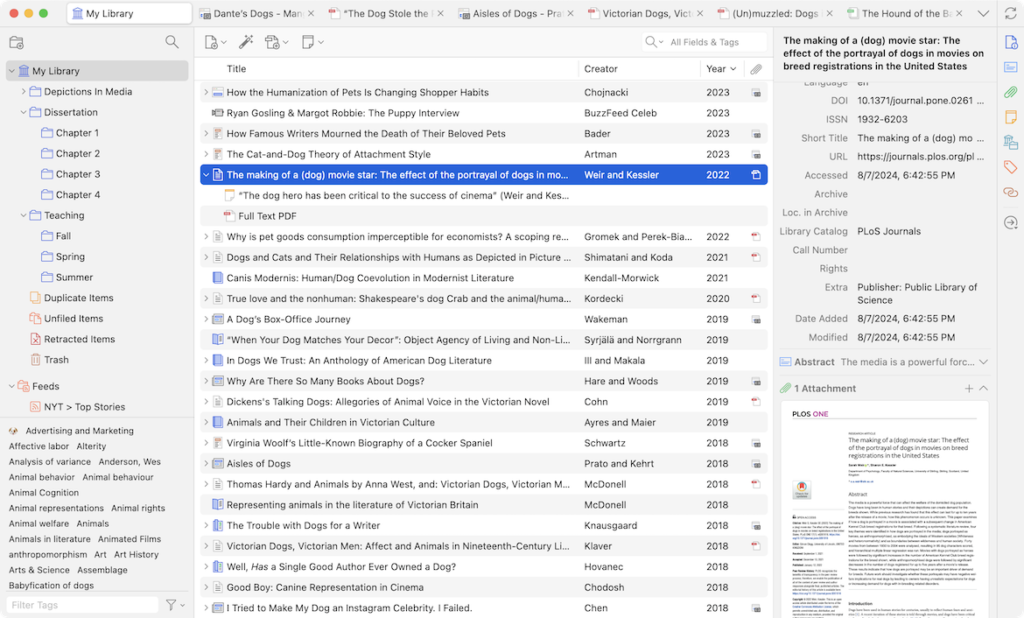
For my research paper I had 40+ sources, and Zotero generated the whole bibliography in seconds. Honestly it saved me an entire night of manual referencing.
❤️ Why Students Like It
- Saves articles directly from your browser
- Generates citations in APA, MLA, Chicago, and more
- Organizes PDFs
- Saves hours during thesis work
✅ Pros and ❌ Cons
Pros
- Powerful citation generator
- Easy browser integration
- Ideal for long research papers
Cons
- Limited free cloud storage
- Slight learning curve
- Basic-looking interface
💡 Pro Tip: Install the browser connector — one click saves complete citation details instantly. Zotero browser connector — one click saves complete citation details instantly.
If you’re writing research papers, this tool alone can change your workflow.
4️⃣ Canva – Simple and Powerful Design Tool
What It Does
Canva lets you create presentations, resumes, posters, infographics, and more — all inside your browser..
“Canva is widely considered the best free software for students who need to design presentations.”


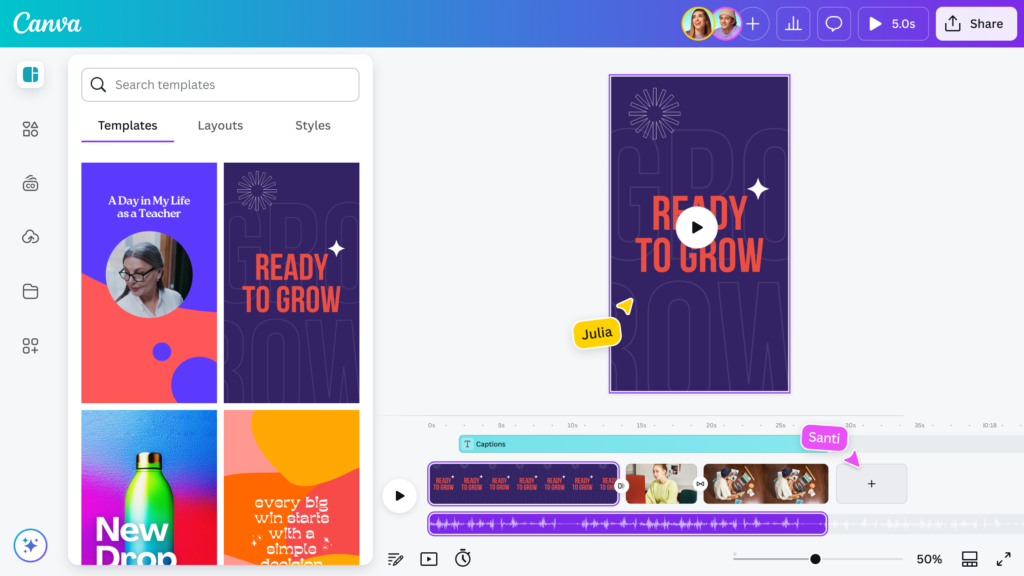
I made all my class presentations on Canva — the templates make you look way more professional than you actually are. Just keep your design simple, too many elements and it starts looking cluttered.
❤️ Why Students Like It
- Drag-and-drop interface
- Thousands of free templates
- No design skills required
- Auto-saves your work
✅ Pros and ❌ Cons
Pros
- Beginner friendly
- Cloud-based
- Beautiful ready-made layouts
Cons
- Some premium elements locked
- Requires internet
- Limited advanced editing
💡 Pro Tip: Use presentation mode with speaker notes to make class presentations look polished.the “Presentation + Speaker Notes” layout to make class presentations look polished and professional.
5️⃣ Trello – Organize Assignments Visually
What It Does
Trello is a task manager that uses boards and cards to organize assignments and group projects.
“For organizing group projects, Trello is the best free software for students to stay on track.”
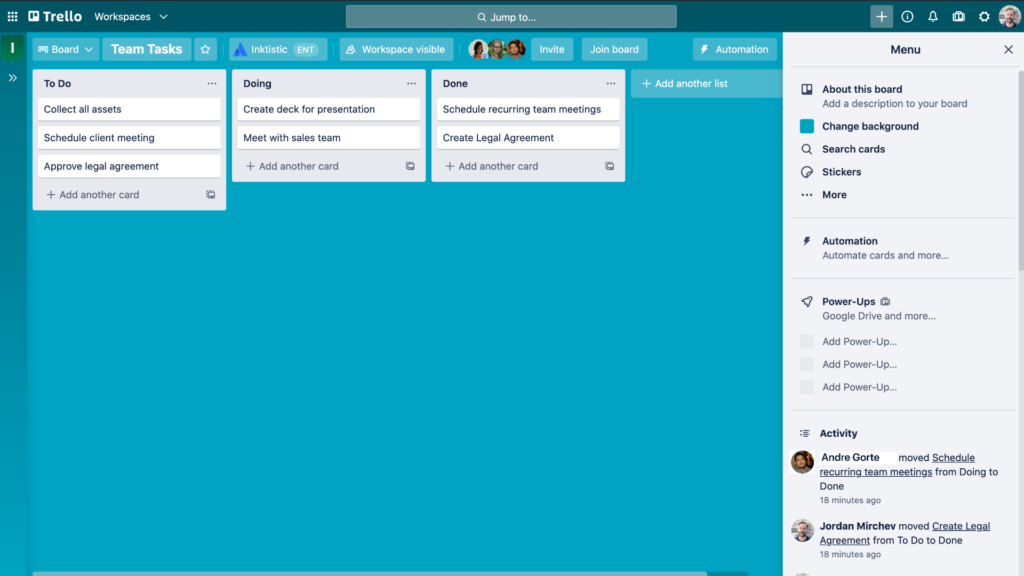
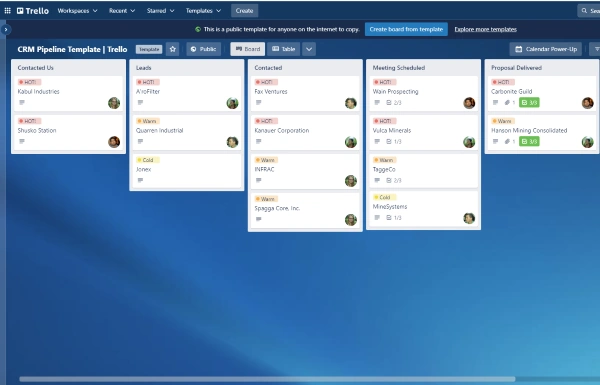
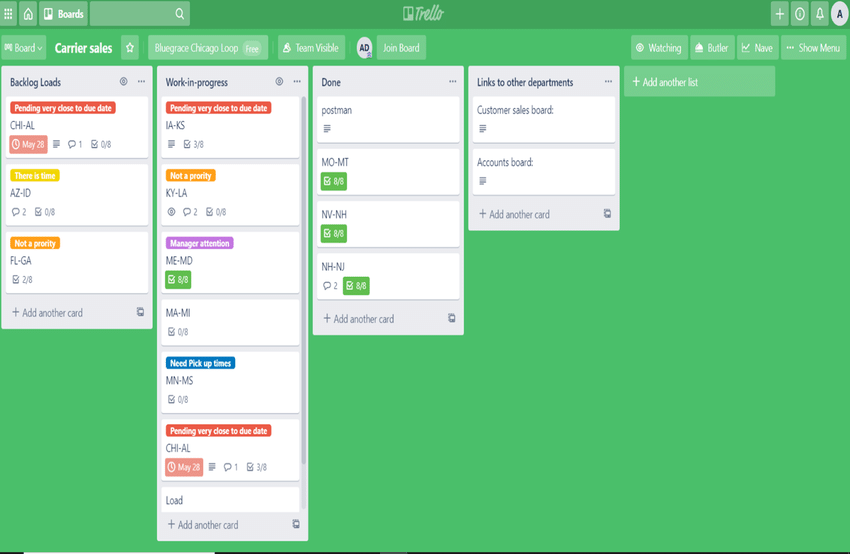
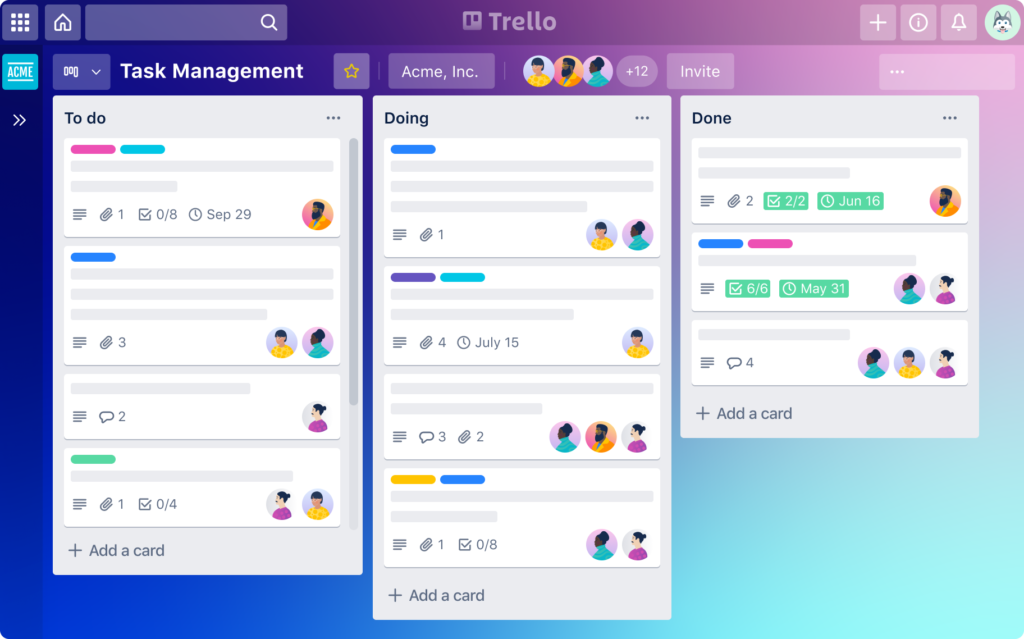
We used Trello for our final group project and it ended the endless WhatsApp confusion. Everyone could see who was doing what. The free plan was more than enough for a 5-person team.
❤️ Why Students Like It
- Drag-and-drop simplicity
- Great for deadlines
- Ideal for group work
- Clean visual system
✅ Pros and ❌ Cons
Pros
- Easy to use
- Great for teamwork
- Generous free plan
Cons
- Not ideal for very complex projects
- Boards can get cluttered
- Limited reporting tools
💡 Pro Tip: Create three columns — To Do, Doing, and Done — to keep your workflow simple.
Final Thoughts
Honestly, I’ve used every single one of these tools myself during my studies — and not paid a rupee for any of them. You don’t need expensive software to do great academic work, you just need the right free tools.
- Stay organized
- Submit polished assignments
- Manage research efficiently
- Deliver better presentations
- Reduce stress
Start with one or two tools. Build a routine around them. Over time, you’ll see a real difference in productivity.
If you’re looking for more guides on the best free software for students, explore other tutorials on SoftHelperPK.
“For more tips, check out our other guides on SoftHelperPK.”.
“We hope this list of the best free software for students helps you stay productive and organized.”.
6 responses to “Top 5 Essential Free Software Every Student Needs in 2026”