If you’ve been looking for the best free animation apps for beginners in 2026 — you’ve probably already opened something like Adobe Animate, stared at forty toolbars you don’t understand, and closed it five minutes later.
My nephew wanted to make a short stick-figure cartoon for a school project last month. He’d watched some animation tutorials online and got completely put off by how complicated the professional software looked. He genuinely thought animation just wasn’t something a normal person could pick up casually. That’s not true at all — he just hadn’t found the right starting tool yet.
I went through five of the best free animation apps for beginners that work on both PC and mobile, none of which need any prior experience. He had his first short animation done within an hour of opening the simplest one. Here’s what each app actually offers.
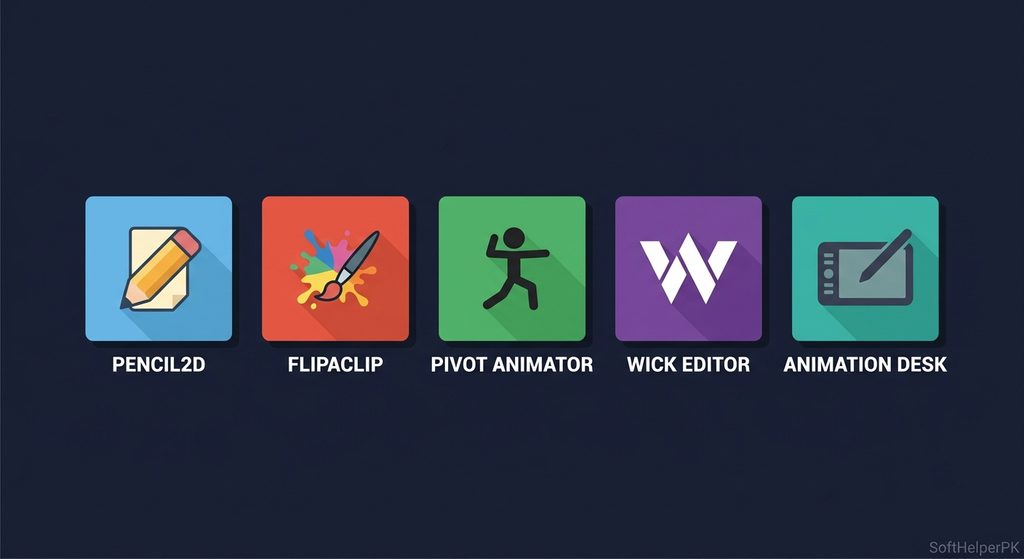
1. Pencil2D — Best Overall Free Animation App
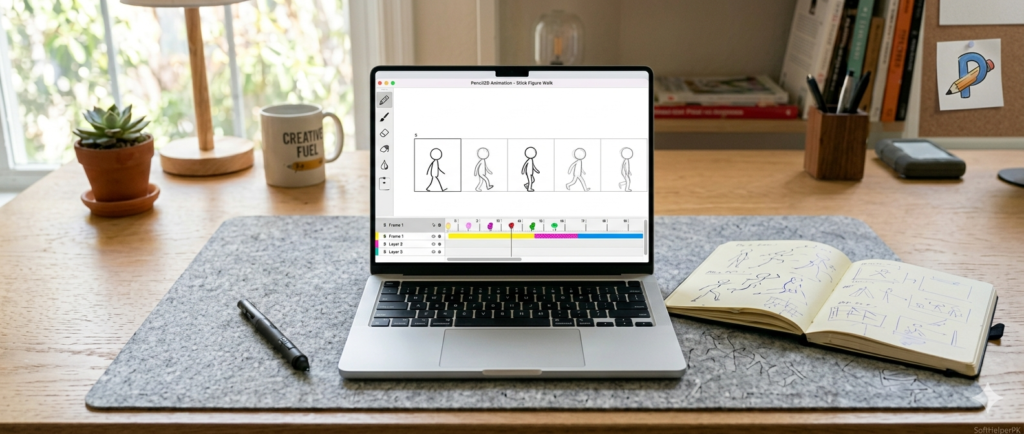
Free. Completely unrestricted. Works on Windows, Mac, and Linux.
This is genuinely one of the most underrated tools on the list and the strongest overall pick. There are no watermarks, no premium tier hiding the good features, no limits at all — everything is free and unlocked from the moment you install it.
The interface is simple and minimal, though it’s worth knowing that the first time you open it, the layout takes a few minutes to get used to. Once it clicks, it feels natural to work in. You’re drawing frame by frame, building animations the traditional way, which makes it a genuinely solid foundation if you ever want to understand how animation actually works rather than relying on shortcuts.
It’s best thought of as a stepping stone rather than a long-term professional tool — once you’re ready for advanced work you’ll likely move on to something more powerful. But for learning fundamentals without spending a penny, this is one of the best free animation apps for beginners available anywhere.
2. FlipaClip — Best for Mobile Beginners

Free (with optional pro upgrade). iOS and Android.
FlipaClip is one of the most popular animation apps on mobile for good reason — it’s built specifically to get beginners animating within minutes rather than hours. The tools are intuitive, the timeline is simple to follow, and the onion skin feature — which shows a ghost of your previous frame — makes movement flow naturally without much guesswork.
You can genuinely create a first short animation in a few minutes on your phone or tablet, which makes it ideal for casual experimenting or quick school projects. The free version does come with a watermark and limited brush options — removing those requires the pro upgrade — but the core experience is fully usable without paying anything.
For anyone wanting to animate purely on a phone with zero learning curve, this is consistently one of the best free animation apps for beginners on mobile specifically.
3. Pivot Animator — Best for Stick Figure Animation
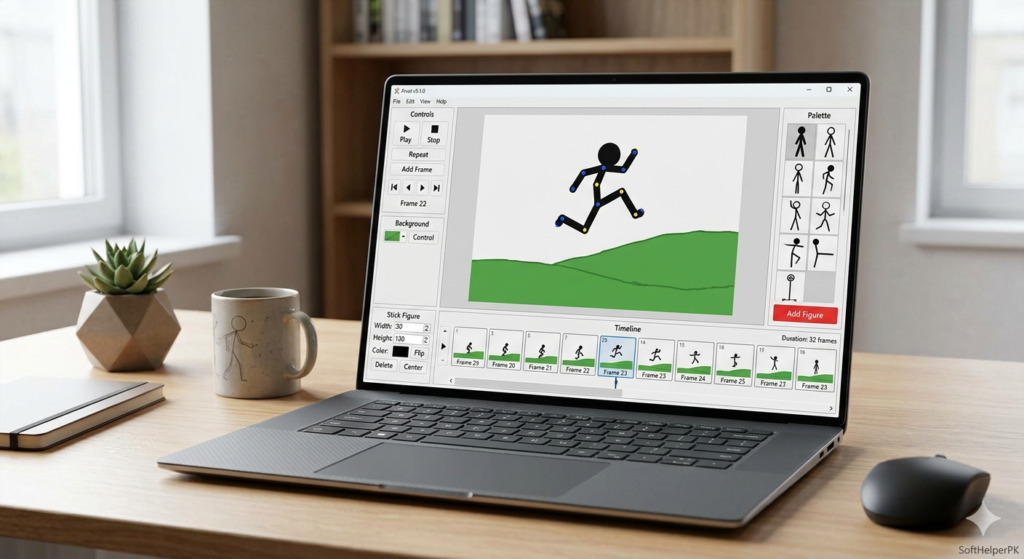
Free. PC only. Extremely lightweight.
Pivot Animator has been a classic starting point for stick-figure animation for years, and it still holds up well in 2026. It’s built specifically around one thing — animating stick figures by moving joints rather than drawing every frame from scratch — which makes it incredibly focused and easy to learn.
You only need about 20 minutes to feel comfortable with the interface, and it runs smoothly even on older, low-spec computers. There’s an in-between frame feature that smooths out motion automatically, so you’re not manually filling in every transitional step yourself.
The trade-off is that it’s not built for traditional frame-by-frame drawing — if that’s what you’re after, this isn’t the right tool. But for rig-based stick figure animation specifically, it remains one of the best free animation apps for beginners who want to dive straight into character movement without learning to draw frame by frame first.
4. Wick Editor — Best Browser-Based Option
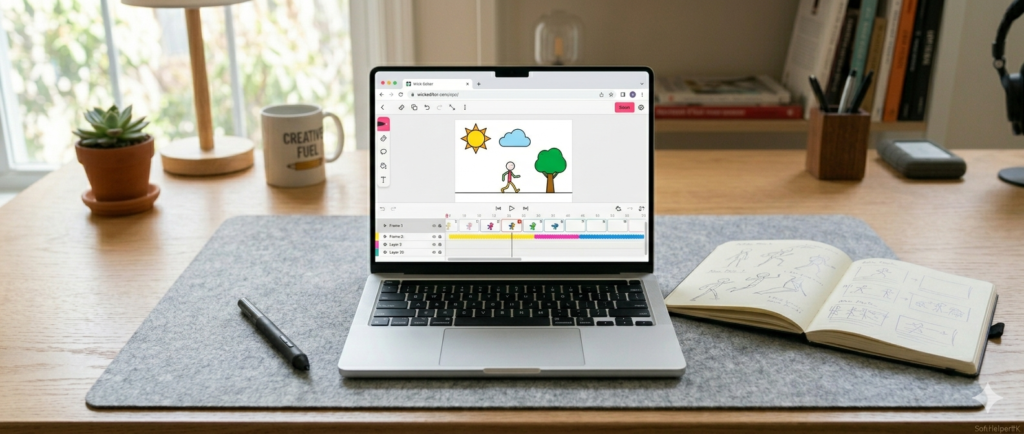
Free. No installation needed. Works on PC and mobile browsers.
Wick Editor stands out because you don’t install anything at all — open it directly in your browser and start animating immediately, on basically any device with internet access. The layout feels like a lighter, friendlier version of professional animation software, with tools across the top, a timeline and layer controls at the bottom, and your library and export options neatly organised on the side.
It’s completely unrestricted, with no premium tier blocking features. You also get camera animation, motion tweening, and shape transformation tools that go beyond basic frame-by-frame drawing — and you can even build simple games with it, which is a nice bonus beyond pure animation.
The main limitation is brush variety, which is fairly basic compared to dedicated drawing tools. Still, for a completely free, install-free option, it’s one of the best free animation apps for beginners who just want to get started without committing to downloading anything.
👉 Try Wick Editor in your browser
5. Animation Desk — Best for Cross-Device Consistency
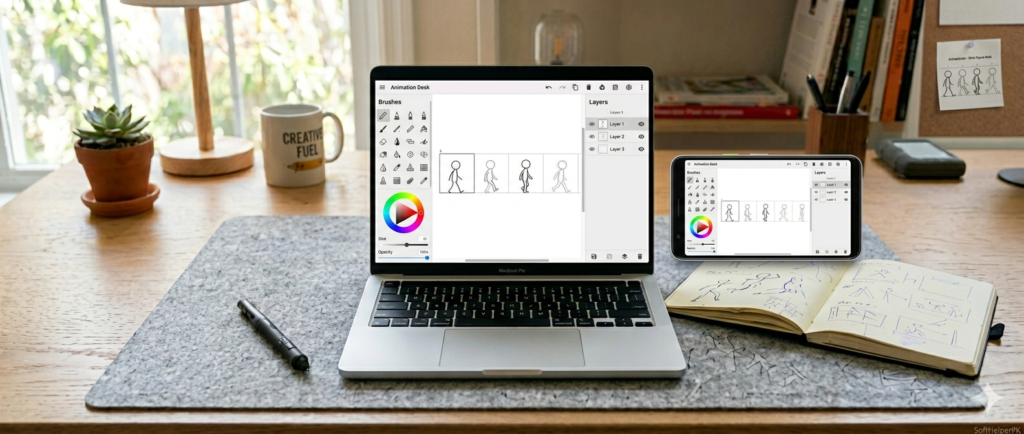
Free (with optional pro upgrade). PC and mobile.
Animation Desk earns its spot for being genuinely friendly from the first time you open it. The main brushes and tools sit right at the top, and layer and frame management controls are simply laid out on the side — nothing buried in confusing menus.
What makes it particularly useful is that the PC and mobile versions are nearly identical, aside from minor interface differences. If you switch between your laptop and phone depending on where you are, the experience stays consistent rather than forcing you to relearn a different layout each time.
Like FlipaClip, the free version includes a watermark and limited premium brushes, with the full toolkit unlocked through a paid upgrade. For practice, short animations, and learning fundamentals, the free tier covers what most beginners actually need.
Which One Should You Start With?
Depends entirely on what you’re trying to make and which device you’ll mostly use.
If you want the most complete free toolkit with zero restrictions — Pencil2D.
If you’re on mobile and want the fastest, most beginner-friendly start — FlipaClip.
If stick-figure animation specifically is your goal — Pivot Animator.
If you don’t want to install anything and like working in a browser — Wick Editor.
If you switch between PC and mobile regularly and want consistency — Animation Desk.
These best free animation apps for beginners all serve the same purpose in slightly different ways — getting you animating today rather than after weeks of learning complicated software. None of them should be your forever tool if you’re serious about animation long-term, but every one of them is a genuinely solid place to actually start.
One practical tip — don’t pick just one and stick to it forever. Try two or three of these over your first month. Each app teaches you something slightly different about how animation works, and professional animators regularly jump between tools depending on the project anyway.
If you’re also into other creative free tools, check out my guide on the best free AI image generators in 2026 — a good combination with animation for anyone building out creative projects.